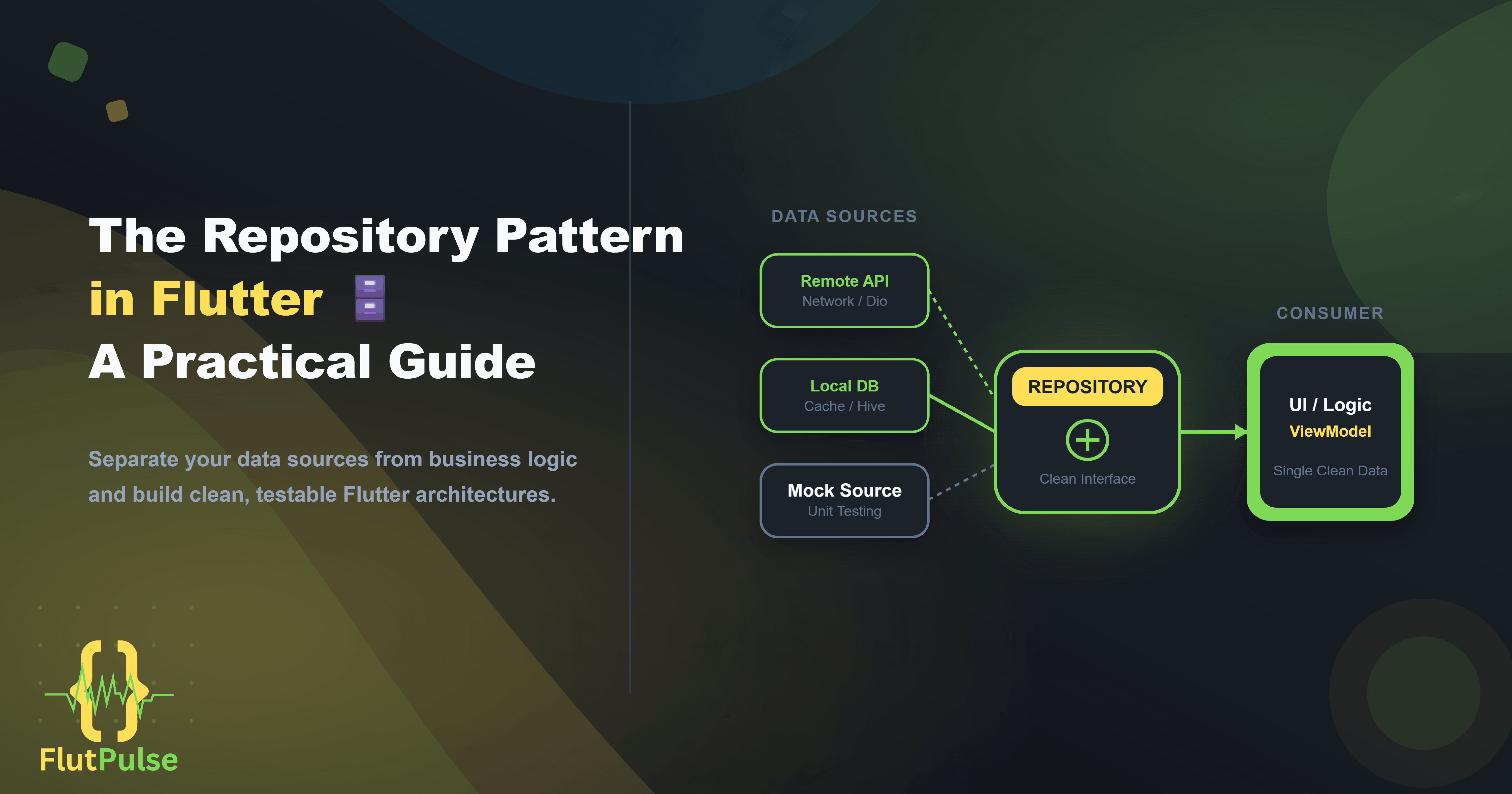
The Repository Pattern in Flutter: A Practical Guide 🗄️
Published on: September 04, 2026
Introduction
As Flutter apps grow, a recurring problem emerges: business logic becomes entangled with data fetching. ViewModels call APIs directly. Widgets read from local databases. The app works, but testing it becomes difficult and changing the data source means touching code in a dozen places.
The Repository Pattern solves this by creating a dedicated layer that owns all data access — remote, local, and cached — behind a clean interface.
The Problem Without a Repository
Here’s what data access looks like in an app without the pattern:
class ProfileViewModel extends ChangeNotifier {
  UserProfile? _profile;

  Future<void> loadProfile(String userId) async {
    // Direct API call inside the ViewModel
    final response = await http.get(
      Uri.parse('https://api.example.com/users/$userId'),
    );
    _profile = UserProfile.fromJson(json.decode(response.body));
    notifyListeners();
  }
}
This works for a simple app. But consider what happens when:
- You need to add caching so the app works offline
- You want to swap the HTTP client for Dio
- You need to write a unit test without hitting a real API
- The API endpoint changes
Every one of these requires editing the ViewModel directly. And if you have ten ViewModels doing the same thing, you edit ten places.
The Repository Interface
Start by defining an abstract interface that describes what the repository can do, without specifying how:
abstract class UserRepository {
  Future<UserProfile> getProfile(String userId);
  Future<void> updateProfile(UserProfile profile);
  Future<void> deleteAccount(String userId);
}
This interface is what the rest of your application depends on. Nothing outside the data layer ever sees the implementation.
The Remote Implementation
One implementation hits the real API:
class RemoteUserRepository implements UserRepository {
  final Dio _dio;

  RemoteUserRepository(this._dio);

  @override
  Future<UserProfile> getProfile(String userId) async {
    final response = await _dio.get('/users/$userId');
    return UserProfile.fromJson(response.data);
  }

  @override
  Future<void> updateProfile(UserProfile profile) async {
    await _dio.put('/users/${profile.id}', data: profile.toJson());
  }

  @override
  Future<void> deleteAccount(String userId) async {
    await _dio.delete('/users/$userId');
  }
}
The Cached Implementation
A second implementation wraps the remote one and adds caching:
class CachedUserRepository implements UserRepository {
  final UserRepository _remote;
  final LocalDatabase _db;

  CachedUserRepository(this._remote, this._db);

  @override
  Future<UserProfile> getProfile(String userId) async {
    final cached = await _db.getUser(userId);
    if (cached != null) return cached;

    final profile = await _remote.getProfile(userId);
    await _db.saveUser(profile);
    return profile;
  }

  // ... other methods delegate to _remote and update cache
}
Notice that CachedUserRepository itself depends on UserRepository — so it works with any remote implementation, including a mock.
The Mock Implementation for Testing
class MockUserRepository implements UserRepository {
  UserProfile? _mockProfile;

  void setProfile(UserProfile profile) => _mockProfile = profile;

  @override
  Future<UserProfile> getProfile(String userId) async {
    return _mockProfile ?? (throw Exception('No mock profile set'));
  }

  // ...
}
Now you can write unit tests that never touch a network:
test('loadProfile updates state correctly', () async {
  final mockRepo = MockUserRepository();
  mockRepo.setProfile(UserProfile(id: '1', name: 'Test User'));

  final viewModel = ProfileViewModel(mockRepo);
  await viewModel.loadProfile('1');

  expect(viewModel.profile?.name, 'Test User');
});
Clean ViewModel
With the repository in place, the ViewModel becomes a clean orchestrator:
class ProfileViewModel extends ChangeNotifier {
  final UserRepository _repository;  // Depends on the interface, not the implementation
  UserProfile? _profile;

  ProfileViewModel(this._repository);

  UserProfile? get profile => _profile;

  Future<void> loadProfile(String userId) async {
    _profile = await _repository.getProfile(userId);
    notifyListeners();
  }
}
To swap from remote to cached to mock, you change a single injection point — not the ViewModel.
Dependency Injection
Wire up the concrete implementation using your state manager of choice:
// With Riverpod
final userRepositoryProvider = Provider<UserRepository>((ref) {
  final dio = ref.watch(dioProvider);
  final db = ref.watch(localDatabaseProvider);
  return CachedUserRepository(RemoteUserRepository(dio), db);
});

final profileViewModelProvider = ChangeNotifierProvider<ProfileViewModel>((ref) {
  return ProfileViewModel(ref.watch(userRepositoryProvider));
});
In tests, override the provider:
final container = ProviderContainer(
  overrides: [
    userRepositoryProvider.overrideWithValue(MockUserRepository()),
  ],
);
Folder Structure
lib/
├── data/
│   ├── repositories/
│   │   ├── user_repository.dart          # Abstract interface
│   │   ├── remote_user_repository.dart   # API implementation
│   │   └── cached_user_repository.dart   # Cache implementation
│   └── models/
│       └── user_profile.dart
├── presentation/
│   └── profile/
│       ├── profile_view_model.dart
│       └── profile_screen.dart
└── test/
    ├── mocks/
    │   └── mock_user_repository.dart
    └── profile_view_model_test.dart
Conclusion
The Repository Pattern costs a small amount of upfront architecture investment. In return, it gives you:
- Testability — mock any data source without a real network
- Flexibility — swap implementations without touching business logic
- Maintainability — one place to change when your API evolves
For any Flutter app expected to grow beyond a few screens, this pattern pays for itself within the first refactoring cycle.