Add Pagination to Flutter Without Duplicate or Missing Items
Published on: November 15, 2026
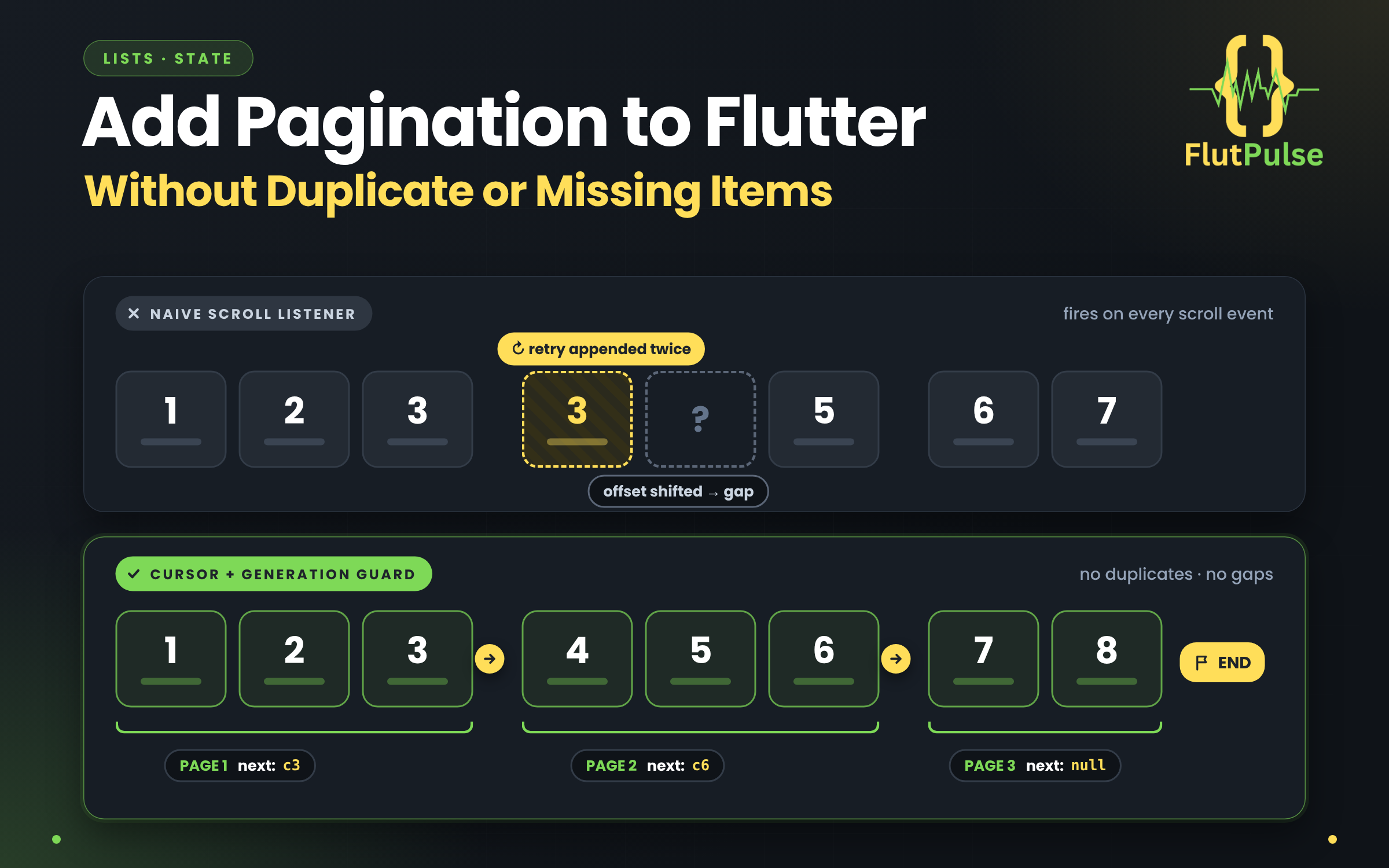
Infinite scrolling is easy to demo and surprisingly easy to break. Near the bottom, a listener may fire several times before the first request completes. A retry may append the same page twice. A filter change may allow an old response to contaminate the new list.
Model the pagination state explicitly
Keep the items, next cursor, loading flag, end-of-list flag, and error state together. A cursor API is often safer than guessing page numbers when records change while the user is scrolling.
class FeedState<T> {
  const FeedState({
    this.items = const [],
    this.nextCursor,
    this.isLoading = false,
    this.hasMore = true,
    this.error,
  });

  final List<T> items;
  final String? nextCursor;
  final bool isLoading;
  final bool hasMore;
  final Object? error;
}
Your repository should return both the page items and the next cursor. An absent cursor can mean the server has no more results.
Guard the request
Before loading, check that no request is active and that another page exists. After the response, append only if it belongs to the current feed generation:
if (state.isLoading || !state.hasMore) return;
final generation = _generation;
final page = await repository.fetch(cursor: state.nextCursor);
if (generation != _generation) return;
Increment the generation when a filter, account, or sort order changes. Reset items and cursor at the same time. This prevents a response from the old feed from landing in the new one.
Make retry behavior safe
Keep already loaded items when a later page fails. Show a small retry action at the end of the list rather than replacing the whole screen with an error. Do not advance the cursor until the page has been accepted into state.
If the backend uses offset pagination, document its consistency guarantees. Inserts and deletions can shift offsets and cause duplicates or gaps; stable cursor pagination is preferable for frequently changing feeds.
Test the awkward moments
Verify the first page, empty feed, final page, repeated bottom notifications, failed next page, filter change during a request, and a slow response after refresh. These cases define whether pagination is dependable.
Pagination works best as a small state machine with clear transitions. The scroll listener should only ask for another page; it should not own the rules that keep the data consistent.